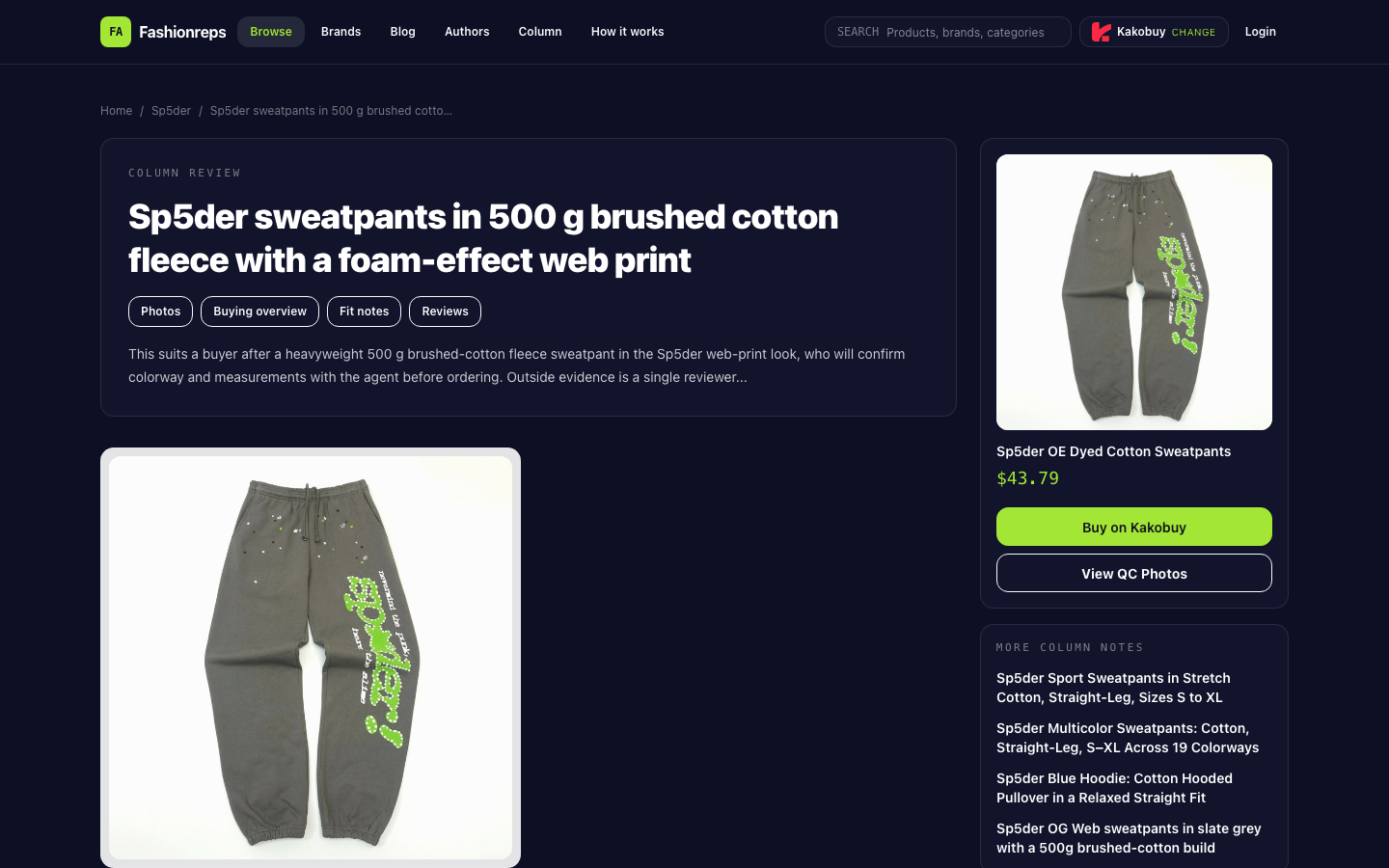
You see the product title says gray, but the spec section lists "FW23 Black Pink V2," and the size range shows both S–XXL and S–3XL. Don't rush to check out. On this Sp5der sweatpants listing, the page already shows conflicting information that needs manual confirmation; current evidence doesn't p

You see the product title says gray, but the spec section lists "FW23 Black Pink V2," and the size range shows both S–XXL and S–3XL. Don't rush to check out. On this Sp5der sweatpants listing, the page already shows conflicting information that needs manual confirmation; current evidence doesn't prove that any particular color or size range is the one you'll actually receive.
First, figure out where the conflict is
What we can confirm is: the page title describes the product as gray sweatpants, but the spec text lists FW23 Black Pink V2; different parts of the page show inconsistent size ranges—one place says up to XXL, while the spec line says up to 3XL. These are contradictions between page fields, not evidence that multiple colors are in stock or that 3XL is definitely available.
The product page also lists a reference price of $43.79, but the final product price, service fees, and international shipping need to be confirmed on the shopping agent page. So you can't infer the color, size, or total cost from just one snippet of the listing.
Five steps to verify the target variant
1. Compare the title with color options
First note the color description in the title, then open the color or style selection field and check each option to see if gray is listed, and whether FW23 Black Pink V2 appears. Don't automatically treat "gray" and "Black Pink V2" as the same colorway, and don't assume you'll receive gray just because the title says gray.
If the color options are only codes or abbreviations, ask the seller to confirm in writing what actual color each code corresponds to, and have them provide images that match the option you want. The main product image can only help you identify the item—it can't replace variant confirmation.
2. Record both size ranges
Write down the sizes shown in different parts of the page: what the regular size field shows, and what the spec section says. This page currently shows an inconsistency between S–XXL and S–3XL, so you can't treat 3XL as an orderable size, nor assume XXL is the largest size.
Also confirm whether the sizes are the garment's labeled size or the actual measurements the seller can provide. For sweatpants, waist, length, and inseam measurements are more useful than letter sizes alone when deciding before paying.
3. Request real or QC photos of your target colorway
Ask for images that clearly correspond to the color and size you've chosen, not just generic main photos. If your shopping agent offers warehouse QC photos, verify again after the item arrives: check the pants' color, mesh pattern placement, size tag, and whether the order or style information in the photo matches your target variant.
There are no independent buyer reviews for this specific pair of sweatpants in the current data, and no evidence that a particular set of photos corresponds to the color you want. So treat QC photos as a post-payment check, not as proof of stock before you pay.
4. Confirm waist and inseam with the seller
The page gives brand-level guidance for Sp5der-style sweatpants: they run slightly loose, and it's usually recommended to choose your normal size, or size up for a baggier fit. But this is not actual measurement data for this item, and buyers still have questions about the specific fit of this brand's sweatpants.
Before paying, ask for flat-lay measurements of the waist and inseam for your target size, and if necessary, hip and thigh measurements. Compare these numbers with flat measurements of sweatpants you already own—that's more reliable than just going by "normal size."
5. Save the confirmation in order notes
Once confirmed, write down the color name, style code, size, waist, inseam, and the seller's response in the order notes. If the agent's ordering page doesn't let you select a variant that exactly matches what the seller confirmed, pause and don't pay—otherwise the written confirmation and the order options could be out of sync.
Pre-payment verification checklist
| Item to verify | Current page status | Evidence needed before paying |
|---|---|---|
| Color | Title says gray, spec shows FW23 Black Pink V2 | Seller confirms the target color name or code and provides matching photos |
| Size range | One place shows S–XXL, spec line shows S–3XL | Confirm which sizes are actually available and stock for your target size |
| Measurements | Page info doesn't resolve fit questions | Waist and inseam for target size, plus hip and thigh if needed |
| QC | No independent buyer evidence for this item | QC photos after arrival that match the order variant |
| Price | Page lists $43.79 reference price | Confirm product price, service fees, and international shipping on agent page |
Confirmation template to send to the seller
Please confirm the following before I place the order:
- I want the gray colorway mentioned in the page title. Does it correspond to FW23 Black Pink V2 in the specs? If not, please provide the exact style name or code for the gray version.
- What sizes are currently available for the target color? Please clearly state whether both XXL and 3XL can actually be ordered.
- Please provide flat-lay waist and inseam measurements for my target size, and if necessary, hip and thigh measurements.
- After ordering or when the item arrives at the warehouse, can you provide QC photos that match the target color and size?
- Please confirm that the product's pattern and color will be exactly as per the confirmed target variant.
After receiving a reply, compare the seller's answers with the order page item by item. As long as the color name, style code, or size range doesn't match up perfectly, don't treat a vague reply as confirmation.
Actions based on three possible outcomes
Information is consistent
If the title, color options, seller's reply, and orderable options all point to the same colorway, and you have the waist and inseam for your target size, you can go to the shopping agent page to confirm the final product price, service fees, and international shipping, then decide whether to pay. After the item arrives, still check the QC photos—pre-payment confirmation can't replace physical verification.
Still need more evidence
If the color is confirmed but the size range or actual measurements aren't, fill in the missing information first. Don't assume 3XL is orderable just because it appears on the page, and don't skip waist and inseam checks just because the brand usually runs loose.
Insufficient evidence
If the seller can't explain the relationship between gray and FW23 Black Pink V2, or can't provide actual measurements or matching photos for your target size, then this listing isn't a confirmed purchase option. In that case, pausing payment is more manageable than dealing with the wrong color or a bad fit after delivery.
The most important judgment for this item isn't about what any single field on the page says—it's whether the title, color options, size, measurements, and QC evidence all point to the same target variant. Until these are consistent, the listed reference price shouldn't be treated as the complete final cost.
Article image