If you're comparing purchase entry points for a Gallery Dept hoodie, the most important question isn't which platform looks cheaper—it's whether the same candidate item can be cross-verified across its product link, main image, detail fields, size information, and after-sales conditions. This article focuses on that purchasing decision and provides a repeatable verification process to help you proceed when information is complete, or ask follow-up q
If you're comparing purchase entry points for a Gallery Dept hoodie, the most important question isn't which platform looks cheaper—it's whether the same candidate item can be cross-verified across its product link, main image, detail fields, size information, and after-sales conditions. This article focuses on that purchasing decision and provides a repeatable verification process to help you proceed when information is complete, or ask follow-up questions or hold off when key information is missing.
This article only discusses visible page information and verification actions, and does not represent the author personally purchasing, receiving, wearing, or testing the product. FashionReps' page states its purpose is to discover products, view source-based QC photos, and compare third-party shopping agents; orders, payments, and logistics are handled by the selected agent's website. Therefore, content seen on FashionReps cannot automatically be equated with inventory, final pricing, actual after-sales commitments, or completed orders.

Clarify the Platform Selection Task for a Gallery Dept Hoodie
First, limit the task to verifying evidence for the same candidate item:
- The object to confirm is a specific Gallery Dept hoodie, not just comparing brand names or search result pages.
- Core information to verify includes product link, product name, main image, color, size, material or detail fields, and after-sales or supplementary evidence entry points.
- Comparison targets may include FashionReps' product discovery page and external platforms that can provide product details, order support, or after-sales explanations, but you must record what each platform actually displays.
- This article does not apply to pages with only social media images, broken links, tags without clear product names, or forwarded pages where the product source cannot be determined.
After reading, you should be able to take one of three actions: keep the candidate and continue verification, ask the platform or seller specific follow-up questions, or hold off on purchasing due to insufficient evidence. 🧭
Record the Currently Visible Style, Color, Size, and Product Link on FashionReps
FashionReps' page integrates product discovery, QC photos, and shopping agent selection into one flow. Visible page information shows that users can select a shopping agent, and the product's purchase button will direct to the selected agent; orders, payments, and shipping are handled by the agent's website. Therefore, the FashionReps page is more suitable as a discovery path and source clue, and cannot alone prove that an agent has confirmed inventory or accepted after-sales responsibility.
When recording a candidate, save the following fields first:
- Product name and brand spelling displayed on the page
- Full URL of the product page
- Style features in the main image, such as print placement, color combination, and hood structure
- Colors, sizes, and material information explicitly listed on the page
- Whether there is a separate entry for QC photos
- Where the purchase button actually redirects to which agent or external page
- The date the page was displayed, and the date you verified the page
If the page only has the brand word "Gallery Dept" without a clear style, color, or size, don't record it as a confirmed same-style candidate. If the page shows other categories, such as hats or accessories, you cannot assume it's a hoodie just because the brand is the same.
Verify That Product Images, Detail Fields, and Links Point to the Same Candidate
Image verification cannot rely solely on similar colors. Check in the following order:
- First, check the category and style description in the product name.
- Then, check the overall silhouette, print placement, cuffs, drawstrings, and color combination in the main image.
- Compare with the color, size, and material descriptions in the detail fields.
- Click the purchase entry and check whether the redirected product title, images, and options still point to the same candidate.
- If QC photos exist, confirm the style name corresponding to the photos, rather than judging by similar appearance alone.
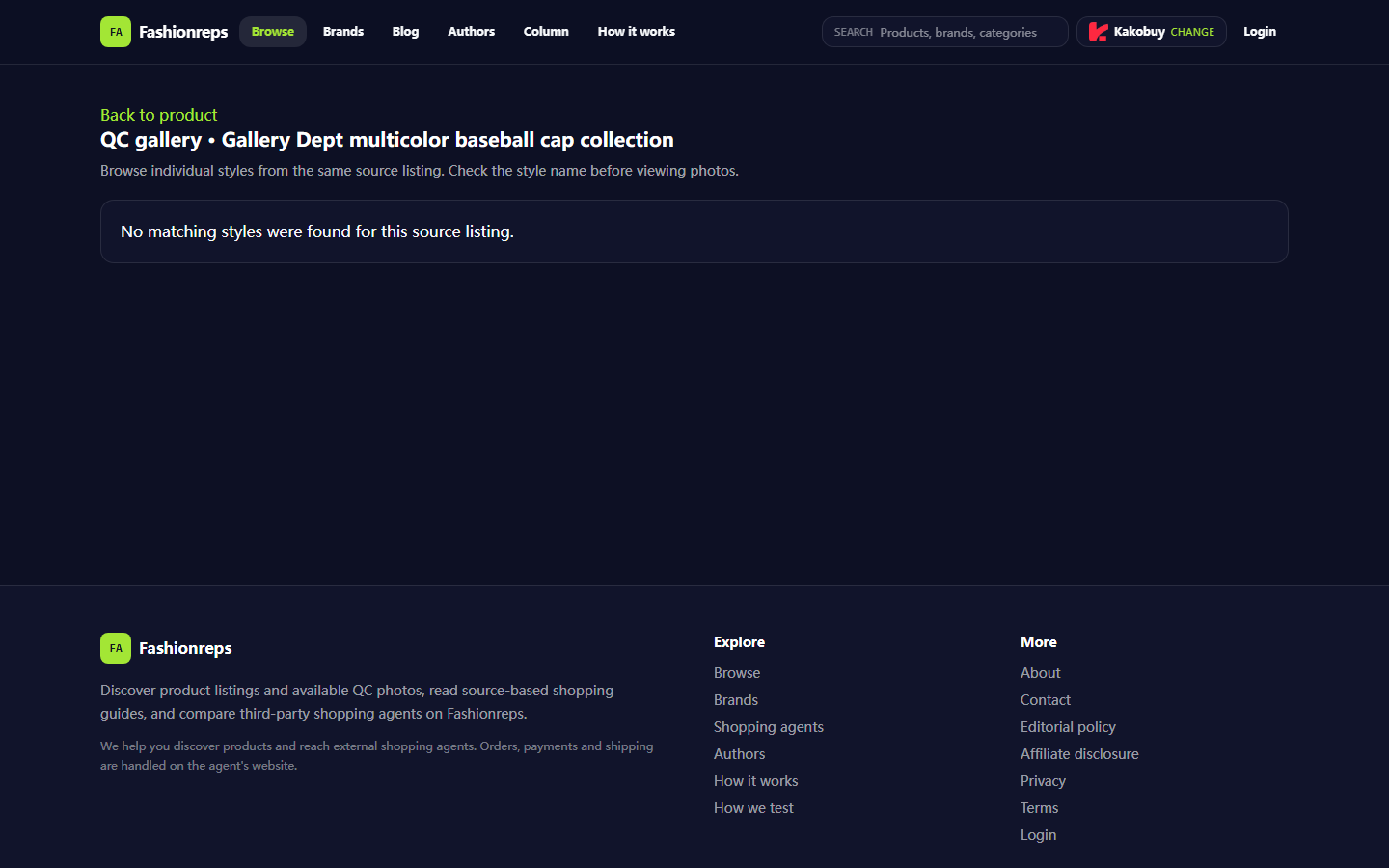
In the provided FashionReps QC page summary, the page title is Gallery Dept Multicolor Baseball Cap Collection and shows "No matching styles found." Such a page cannot serve as QC evidence for the same Gallery Dept hoodie, nor can it prove the hoodie's color, size, inventory, or quality. At most, it indicates that the current page did not find a style matching that source list.
Therefore, when seeing similar images, classify conclusions into three types:
- Matched: Name, image, options, and redirect page corroborate each other.
- Partially matched: Images are similar, but style name, size, or post-redirect option confirmation is missing.
- Not matched: Page category differs, style doesn't match, link is broken, or the page explicitly indicates no matching style.
Record the Discovery Path for the Corresponding Item on Other Verifiable Platforms
When comparing other platforms, don't just record the platform name. Record where the product was discovered, which product page it entered, who processes the order, and on which page the after-sales explanation appears. Page structures differ between platforms, and product names may vary due to language, abbreviations, or seller naming, so you must rely on multiple fields to correspond.
At minimum, confirm the following:
- Does the external platform have an accessible product detail page, rather than just search results or image previews?
- Does the detail page have a clear product name, options, and purchase conditions?
- Does the main image on the page match the key features of the FashionReps candidate?
- Does the purchase entry point to a real order process, rather than a broken or redirected link?
- Do after-sales terms apply to the platform, shopping agent, seller, or only to a certain order stage?
- Do you need to confirm size, color, inventory, and available QC materials with the seller or agent before ordering?
If other platforms cannot provide these basic materials, do not fill in speculative prices, inventory, ratings, or rankings just to form a "platform comparison." The comparison result can be insufficient information, which itself is important information for the purchasing decision. 🔎
Compare QC or Supplementary Evidence Entry Points, After-Sales Explanations, and Support Conditions
QC photos, detail supplementation, and after-sales handling are three different stages. QC photos are usually used to check the physical condition after the order enters the warehouse or inspection stage; detail page information is used to identify candidates before ordering; after-sales explanations determine what requests can be made in case of wrong shipment, missing items, obvious defects, or inability to continue purchasing. Unless the page explicitly states otherwise, you cannot extend a commitment from one stage to the other two.
| Verification Item | What FashionReps Page Can Confirm | Conditions Still to Confirm with External Platform or Seller | Editorial Judgment |
|---|---|---|---|
| Product Discovery | Can serve as product discovery and source clue | Specific seller, inventory, and orderable status | Discovery entry does not equal order confirmation |
| Images and Style | Can check whether page main image or QC entry exists | Whether QC photos correspond to current size, color, and order | Without style match, cannot be used as same-style evidence |
| Purchase Processing | Purchase button can enter selected agent process | Final price, inventory, payment, and logistics | Order is processed by external agent website |
| After-Sales and Supplementary Evidence | Page can indicate relevant entry or explanation | Acceptance period, evidence format, responsible party, and processing result | Must be based on terms applicable to that order |
When asking follow-up questions, try to clarify at once: what specific style the link corresponds to, whether the target color and size are selectable, whether corresponding QC photos can be provided after ordering, who to contact if problems arise, what evidence is needed for after-sales requests, and the applicable time window. Don't just ask "How is the quality?" or "Can I return it?" because such questions usually don't yield actionable answers.
Use a Unified Table to Distinguish Visible Facts, Pending Conditions, and Editorial Judgment
When saving candidates, use the following three-column approach to avoid writing speculation as fact:
- Visible facts: Names, images, options, link status, and text descriptions explicitly displayed on the page.
- Pending conditions: Inventory, final cost, size fit, QC timing, after-sales period, and responsible party.
- Editorial judgment: Whether evidence is sufficient to support continuing the purchase, whether follow-up questions are needed, or whether to hold off.
For example, if a page displays a Gallery Dept related image, it can only be recorded as "a related image appears on the page." Only when the product name, category, and options also correspond can you further record it as "candidate style partially corresponds." If the QC page shows a multicolor baseball cap collection, you cannot transcribe it as the hoodie's QC result.
Recording the verification date is equally important. Prices, inventory, link status, after-sales policies, and selectable sizes can all change; screenshots or notes without dates can only serve as historical clues after some time, not as current purchasing basis. 📅
Handling Situations Where the Same Style Cannot Be Matched, Pages Update Out of Sync, or Information Is Missing
Pause "same style confirmation" in the following situations:
- The category on FashionReps page and external product page is inconsistent.
- Images are similar, but color, print placement, or style name cannot be matched.
- QC page shows no matching style.
- Purchase link redirects to a page missing the original size or color options.
- Page only retains images, without product name, seller, or after-sales conditions.
- After-sales explanation exists, but it cannot be confirmed to apply to the current seller or order.
The processing order can be: first save the original page and verification date, then ask the corresponding platform or seller specific follow-up questions; if key evidence is still lacking after follow-up, mark the candidate as on hold, rather than filling gaps with similar products or other category data.
Don't assume that a product is still in stock just because the page is accessible; don't assume that a clear QC photo belongs to the current link. Page accessibility, product correspondence, and after-sales applicability are three independent judgments. 🧾
Actions After Completing Evidence Verification: Keep, Follow Up, or Hold Off
Conditions to keep the candidate and continue verification: product category and style correspond, main image and detail fields have no obvious conflicts, target color and size are clearly recorded, purchase entry is not broken, and you know which party should handle QC or after-sales issues.
Conditions to ask follow-up questions: the candidate basically corresponds, but inventory, size, QC photos, after-sales period, or responsible party are still unclear. Follow-up questions should focus on specific fields, and don't just ask for unverifiable promises like "authentic," "good quality," or "satisfaction guaranteed."
Conditions to suggest holding off: page category mismatch, broken link, no matching style, missing key options, or after-sales explanation cannot apply to the current order. Holding off does not mean the product is necessarily problematic; it only means the existing evidence is insufficient to support this purchasing decision.
Final records should retain three items: verified pages and images, unconfirmed conditions, and next steps. That way, even if the page updates later, you can distinguish what was seen at the time from judgments formed later.