Intro When searching for the same Adidas black loose-fitting T-shirt across different shopping agent platforms, the most common mistake isn't failing to find it—it's mistaking similar items for the exact same product. Titles may be similar, and the color name might also be written as black, but variants, sellers, size ranges, QC entry points, and checkout fields may not correspond. The verifiable source for this review is the Adidas category page on fashi
Intro
When searching for the same Adidas black loose-fitting T-shirt across different shopping agent platforms, the most common mistake isn't failing to find it—it's mistaking similar items for the exact same product. Titles may be similar, and the color name might also be written as black, but variants, sellers, size ranges, QC entry points, and checkout fields may not correspond.
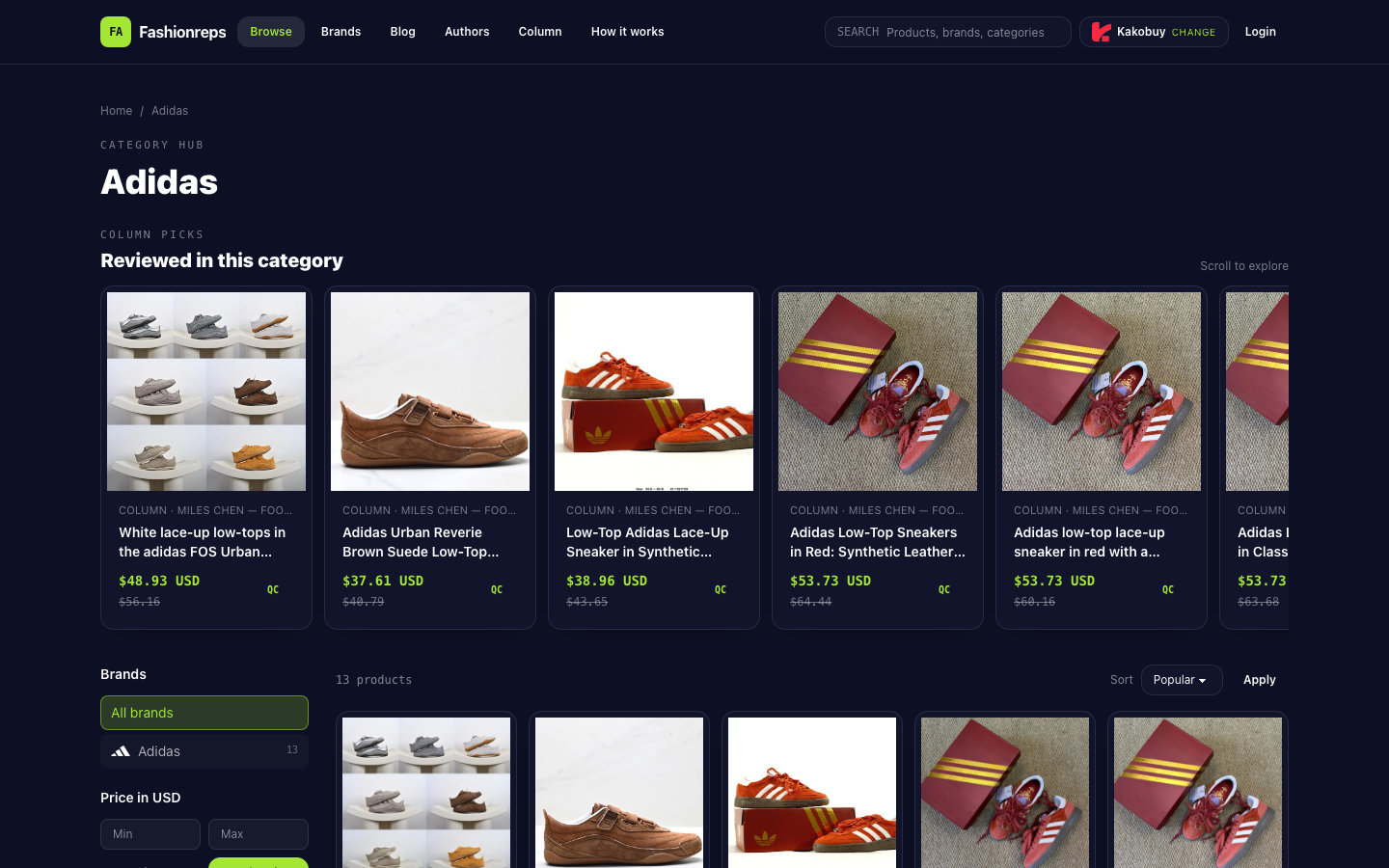
The verifiable source for this review is the Adidas category page on fashion-reps. That page displays Adidas footwear items, reference prices, size or material descriptions, and QC entry points for some products, but it does not provide a complete product record for the target black loose-fitting T-shirt, nor does it simultaneously show checkout pages for the same T-shirt from multiple agent platforms. Therefore, this article does not extrapolate the visible footwear information as evidence for the T-shirt, nor does it fabricate any platform's prices, stock, shipping fees, or features.

First, Lock Down the Identification Criteria for "The Same Item"
Before starting cross-platform comparison, write down the target item as an unchangeable record. Keep at least the following fields:
- Product title or page title
- Brand field
- The specific variant name or number corresponding to black
- The original description of the loose fit
- Available sizes and size units
- Seller name or store information
- Original product link
- Main image and detail images
"Adidas," "black," and "T-shirt" can only serve as initial filtering criteria and cannot alone prove the items are identical. If one platform shows a black loose fit version while another only has a black regular fit, or if a page lacks variant numbers, it should be marked as "pending verification" rather than directly merging prices.
Use a Uniform Field Template to Record Target and Candidate Platforms
It's recommended to use the same record template for every platform, and not to add or remove fields based on a platform's page structure. The current information is insufficient to confirm whether other agent platforms display the target T-shirt, so the table below is a verification template, not an assertion of any platform's current state.
| Verification Field | What to Confirm | Handling When Missing |
|---|---|---|
| Product identity | Are title, brand, color, fit, and variant number consistent? | Mark as pending verification; do not merge as same item |
| Product source | Are seller, store, or original product link the same? | Suspend price comparison if identity cannot be confirmed |
| Size variants | Are size units, available range, and color-size binding consistent? | Record item by item; do not compare only the largest or smallest size |
| QC entry | Does the page actually provide QC images or a QC entry point? | If missing, record as not found; do not infer the platform does not support it |
| Product price | Current visible product price and currency | Do not substitute with prices of other items from the category page |
| Service fees and shipping | Does the checkout page show service fees, domestic shipping, or international shipping? | Keep as unconfirmed if not at checkout |
| Payment methods | Actual payment methods shown on the checkout page | Do not infer available methods based on platform name |
| Checkout fields | Are quantity, variant, shipping address, and fee breakdown consistent? | Cannot compare totals if fields are inconsistent |
Check Variants First, Then Prices
The first step is to open the product detail page on each platform and confirm whether the product title and images point to the same original item. Do not sort by price first, because the lowest-priced record may correspond to a different seller, different fabric, different size, or different color variant.
The second step is to open the black variant and loose fit options one by one. If the color name is only "black" but no variant image, number, or seller information is displayed, the evidence level should be downgraded to "partial match." If one page uses a single price for multiple colors while another page prices colors separately, you cannot directly attribute the price difference to platform fees.
The third step is to check size units. Chinese sizes, EU sizes, letter sizes, and page-custom sizes cannot be directly compared horizontally. Record the original size shown on the page and keep the size chart; only when size units and corresponding variants match can you proceed to checkout verification.
Judge QC Entry Based on What the Page Actually Shows
QC is not a default attribute in the product title; it is an entry point, image, or record that must be actually visible on the corresponding product page or in the subsequent process. The Adidas category page on fashion-reps shows a "QC" entry for some footwear entries, but this only proves that those category entries have such a page indicator; it does not prove that the target black loose T-shirt or other agent platforms provide the same entry.
When verifying, record in the following order:
- Does the product card show a QC indicator?
- After clicking, does it lead to a page corresponding to the current product?
- Does the QC page preserve color, size, or variant information?
- Does the page show actual product photos, inspection records, or just placeholder information?
- Does the QC entry appear only after login, ordering, or payment?
If you can only see the text "QC" and cannot access the corresponding content, write "QC indicator appears on page, but corresponding content not confirmed," not "QC images provided."
The Checkout Page Is the Starting Point for Cost Comparison
The price on the product detail page does not represent the final payment amount. At minimum, record the product amount, platform service fee, possible domestic fees, international shipping, payment processing fee, and exchange rate basis separately. The current source does not provide checkout page data for the target T-shirt on any platform, so it cannot conclude which platform is cheaper, nor confirm shipping fees or payment methods.
When actually verifying, use the same quantity, same color, same size, and same shipping region across different platforms, then compare checkout fields. If one platform only shows the product price while another has already added service fees or shipping, they are not on the same cost basis, and totals cannot be directly ranked.
Also save the variant summary on the checkout page. If the color, size, or product image changes after returning to the cart, stop payment and return to the product page to reconfirm. Be especially wary of the cart defaulting to the first color or first size.
Four Verification Outcomes Correspond to Different Actions
Product identity consistent, QC accessible, fee fields clear
You can continue to check stock and delivery restrictions before deciding to order. At this point, still save the product link, variant information, and checkout screenshots for later review if the page changes.
Product identity consistent, but QC or checkout information missing
Do not interpret the missing content as the platform not supporting it, and do not place an order solely based on the lowest price. You can first contact the platform or seller for confirmation, then add the result back to the unified record.
Titles similar, but seller, variants, or sizes do not correspond
Treat as different products. Even if the color and brand are the same, they cannot be merged as the same cross-platform item, nor can you use the price or QC result from one page to represent another.
Target product cannot be confirmed with current information
Suspend specific purchase recommendations. The existing evidence in this article only shows that the Adidas category page on fashion-reps contains several Adidas footwear entries and some QC indicators; it cannot confirm the product identity, stock, price, shipping fees, or cross-platform checkout results for the target black loose T-shirt.
Minimum Recheck Checklist Before Ordering
- Product title and brand field match the target record.
- Color is indeed selected as black, not the default color or a similar color name.
- Fit, size units, and size chart have been checked.
- Seller or original product link can be rechecked.
- QC entry has been actually opened, or clearly recorded as unconfirmed.
- Product price, service fee, and shipping fee are separated by basis.
- Color, size, and quantity on the checkout page match the product page.
- Payment method and final amount come from the current checkout page, not the category page or old records.
The key to cross-platform matching is not finding the most links, but having each platform answer the same set of fields. As long as any one of product identity, QC evidence, or checkout information cannot be matched, uncertainty should be preserved, and verification should continue or ordering paused.